
One Platform. One Conversation. One Place to Work.
Your team already uses Microsoft Teams to chat, collaborate and meet online. So why switch between different applications to make business phone calls?
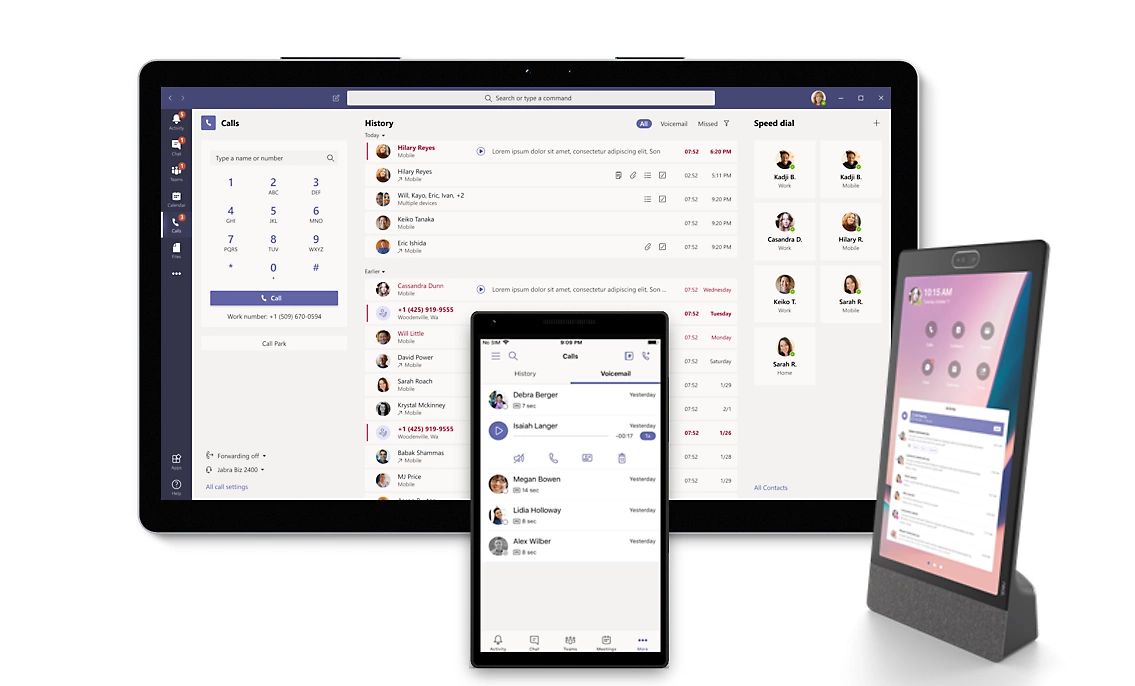
Microsoft Teams Calling transforms Teams into a complete cloud-based business phone system — make and receive business calls, manage customer enquiries and collaborate with colleagues, all from the familiar Teams interface your team already uses every day.
At calltime, we help Australian businesses unlock the full potential of Microsoft Teams by integrating enterprise-grade telephony into the Microsoft 365 environment, creating one seamless communications experience.
Talk to a Teams Calling specialist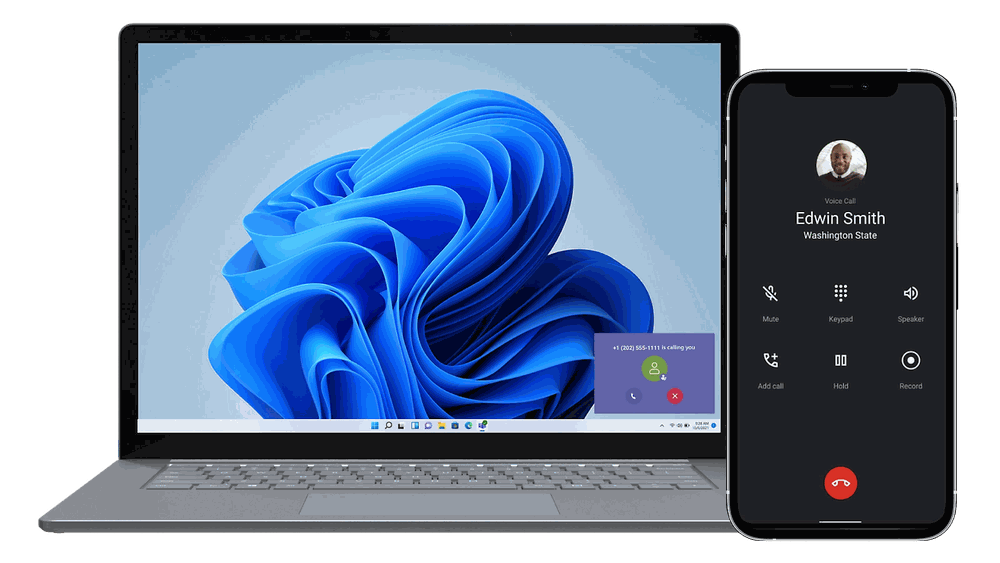
Why Microsoft Teams Calling?
For many businesses, Microsoft Teams has become the centre of daily collaboration. Adding enterprise calling brings your phone system into the same application — reducing complexity while improving productivity.
Instead of switching between multiple applications, your team can:
- Make and receive business calls
- Chat with colleagues
- Access contacts
- Join video meetings
- Share files
- Collaborate on projects
Everything Your Team Needs
Replace your traditional PBX with an enterprise-grade Microsoft Teams phone system.
Make & Receive Business Calls
Business phone numbers, direct inward dial (DID), call transfer, hold and retrieve, call forwarding, simultaneous ring, voicemail, call history and speed dial.
- Business phone numbers
- Direct inward dial (DID) numbers
- Call transfer
- Hold & retrieve
- Call forwarding
- Simultaneous ring
- Voicemail
- Call history
- Speed dial
Professional Call Handling
Auto attendants, call queues and hunt groups route every enquiry to the right person, with business-hours routing, holiday schedules, shared call handling and music on hold.
- Auto Attendants
- Call Queues
- Hunt Groups
- Business Hours Routing
- Holiday Schedules
- Shared Call Handling
- Music on Hold
Work From Anywhere
Your business number travels with you across desktop, laptop, mobile, Teams-certified desk phones and conference room devices — whether you're in the office, working remotely or travelling.
Teams-certified devices
AI-Powered Productivity
AI-generated call summaries, meeting recaps, automatic transcription, conversation insights, action items, intelligent search and voice enhancement.
- AI-generated call summaries
- Meeting recaps
- Automatic transcription
- Conversation insights
- Action items
- Intelligent search
- Voice enhancement
Some AI features require Microsoft 365 Copilot or additional licensing.
AI ReceptionistCustomer asked about pricing for 12 users. Quote requested — follow-up booked for Thursday. 2 action items added.
Built Into Microsoft 365
Because everything operates within Microsoft Teams, your staff keep using the application they already know. That means less training, fewer applications to manage and a more consistent experience across your organisation.
Protected Within the Microsoft Ecosystem
Built on Microsoft's global cloud platform, Teams Calling delivers enterprise-grade security, reliability and administration.
From user management through to compliance and business continuity, your communications remain protected within the Microsoft ecosystem.

Is Microsoft Teams Calling Right for Your Business?
An outstanding solution
Microsoft Teams Calling is an outstanding solution for organisations already invested in Microsoft 365.
But not for every business
It's not the right fit for every business. We'll help you determine whether Teams Calling is the best option — or whether another platform would better suit your operational requirements.
Compare Business Phone SystemsBecause we're independent, our recommendation is based on your business — not on selling a particular product.
Frequently Asked Questions
Quick answers to the questions we hear most. Can't see yours? Book a free review and ask us directly.
What is Microsoft Teams Calling?
Teams Calling turns Microsoft Teams into a complete business phone system, so your team can make and receive business calls from the same app they already use for chat and meetings.
Do we need new phones to use Teams Calling?
No. Calls work through the Teams app on computers and mobiles. If your team prefers handsets, we can supply certified Teams desk phones and headsets.
Can we keep our existing numbers?
Yes. Your existing business numbers can usually be moved into Teams, so customers keep calling the numbers they already know.
What Microsoft licences do we need?
Teams Calling needs a suitable Microsoft 365 licence plus calling services. We will check your current licences and recommend the simplest option.
Is Teams Calling right for every business?
Not always. It suits businesses that already work in Microsoft 365. If another option is a better fit for your team, we will tell you.
Why Businesses Choose calltime
Most providers recommend the platforms they sell.
At calltime, we provide independent advice backed by Australia's leading communications technologies — we assess your needs first, then design a solution that supports your growth, not a sales target.
Book Your Complimentary ReviewAustralian Support
Speak with a local team that understands your business.
Simple Deployment
Fast onboarding with minimal disruption.
Scalable Solutions
Technology that grows with your business.
Trusted Reliability
Stable platforms with enterprise-grade uptime.
Tailored Advice
Solutions matched to your operations and goals.
Ongoing Partnership
Long-term support, training and optimisation.
Ready to Turn Microsoft Teams Into Your Business Phone System?
Speak with calltime today and discover how Microsoft Teams Calling can simplify communication, improve collaboration and modernise the way your business connects.
One platform. One conversation. One place to work.
Image credits: Image: Microsoft